










Adjust open work and use reasoned cancellation or coherent reopening without deleting its audit trail.
Before you start
- Review answers, card positions and current status.
- Confirm that lifecycle action is operationally justified.
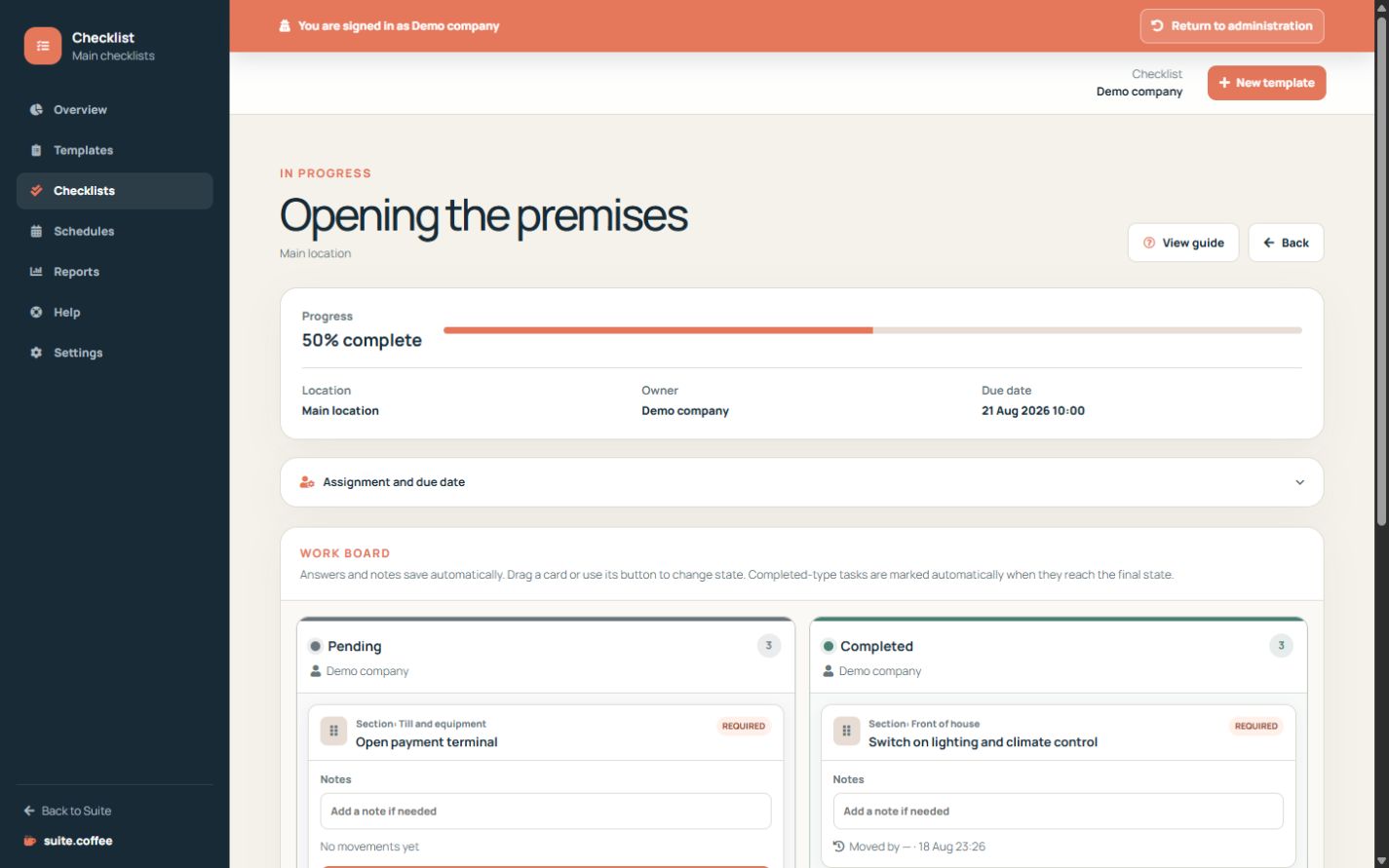
Adjust open work
Owners and members can change location, whole-checklist owner and due date while the checklist is pending or in progress. State-level ownership still controls individual cards.
Cancel with a reason
Cancellation is available only for open work and requires a reason. It records who cancelled and when, keeps answers and history and blocks card movement.
Reopen coherently
Reopening a cancelled checklist recalculates its status from the current card positions. It does not reset answers, transitions or the original cancellation record.
Step by step
- Open the checklist detail.
- Adjust location, owner or due date while open.
- Cancel only with a clear reason.
- Confirm cards are blocked after cancellation.
- Reopen and verify status is recalculated from card positions.
Final check
- Cancellation actor and time are recorded.
- Answers and transitions remain available.
- Reopened status matches the board.
Tip: Use cancellation instead of deleting work that must remain auditable.