










Answer and move each card through authorised states while autosave and history preserve the work.
Before you start
- Open the correct run and review its current progress.
- Confirm ownership of the active phase.
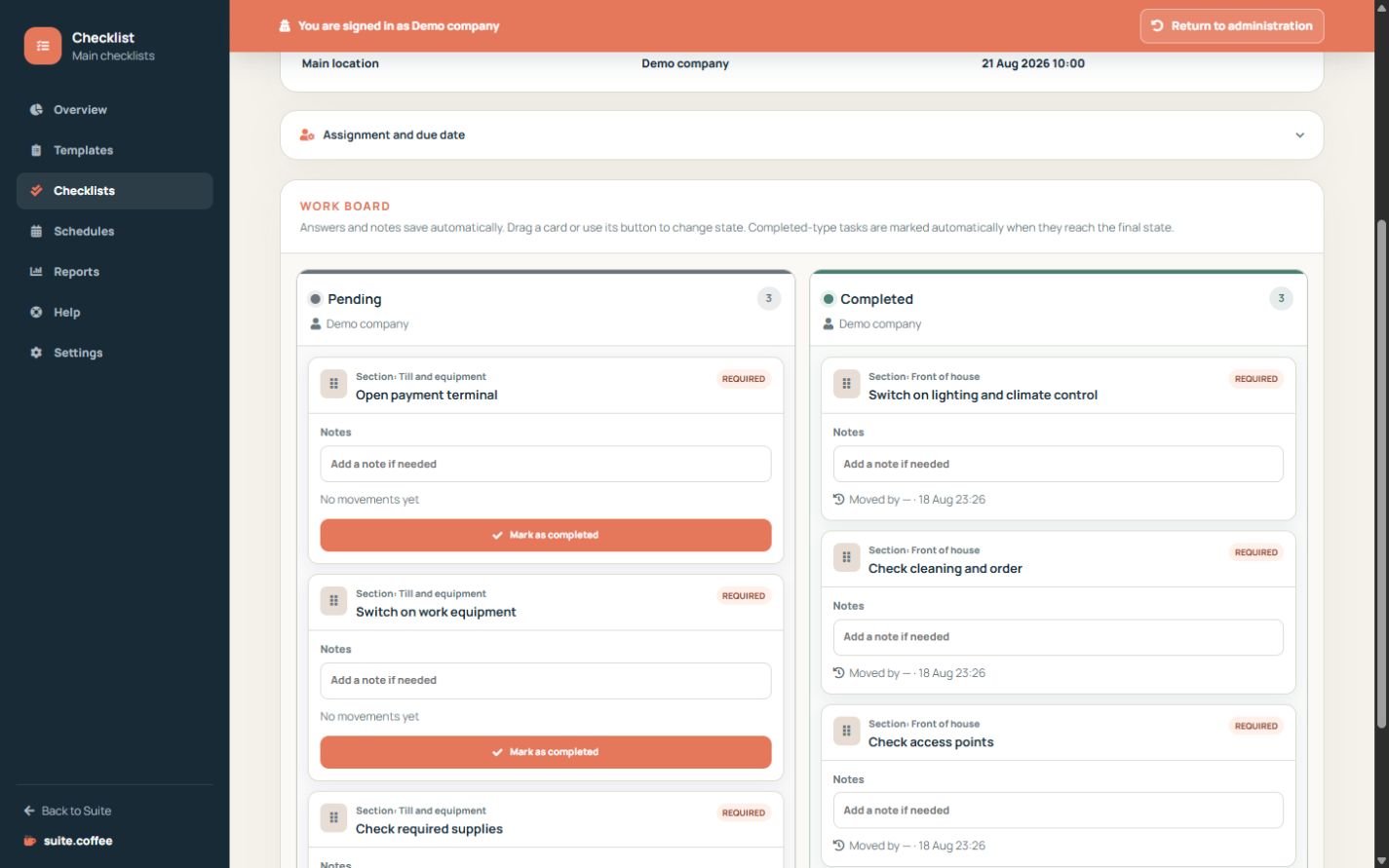
Answer without a save button
Completed, yes/no/not applicable, text, number and notes save automatically. Text and number use a short debounce and requests are serialised to avoid racing a transition.
Move the card
Drag to any authorised state or use the next-state button. Required answers are validated before the final column; completed-type cards set done automatically there. Moving a card back reopens the checklist.
Respect ownership and history
The current state owner takes priority over the whole-checklist owner. Owners and members may supervise all phases. Every transition records origin, destination, person and time.
Step by step
- Open the checklist detail.
- Answer the card using its configured response type.
- Wait for autosave confirmation when entering text or numbers.
- Move the card to an authorised state.
- Review progress and transition history.
Final check
- Required answers exist before completion.
- The card reached the intended state.
- No pending save was overwritten by a move.
Tip: The current state owner takes priority over the checklist-wide owner for that card.