










Prepare the regional context that controls recurrence, deadlines and reporting periods.
Before you start
- Confirm the operational timezone and main language.
- Agree the first weekday used by the team.
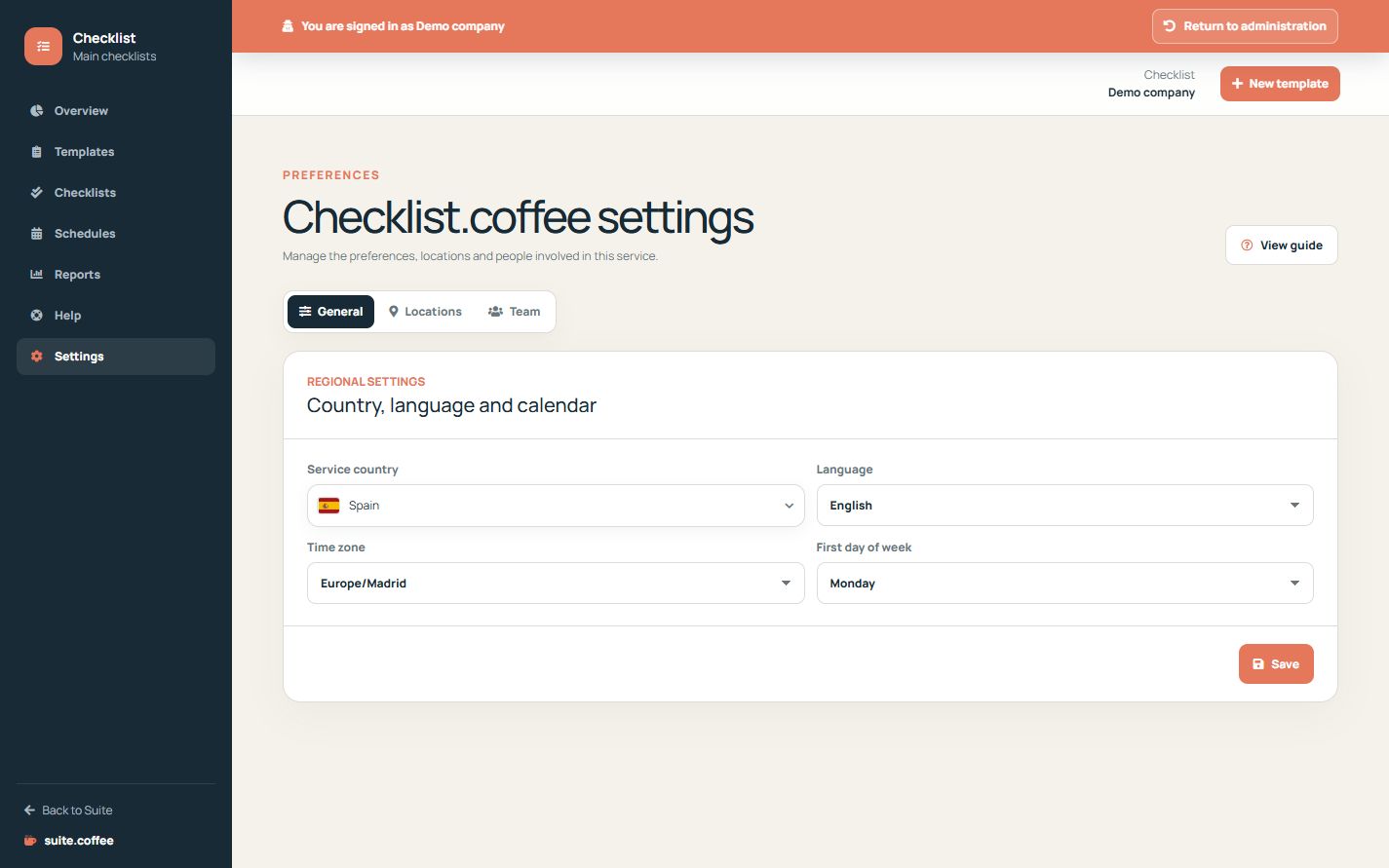
Review regional settings
Choose country, timezone, main language and first day of the week. The timezone controls schedule generation, due dates, monthly limits and report periods.
Keep Suite-wide settings separate
Account, contracted plan, general members and service connections belong to Suite.coffee. Checklist settings cover only this operational workspace.
Use the current product scope
Checklist is a web workflow for structured controls. It does not currently provide offline mode, photo or signature evidence, GPS, conditional rules or automatic Issue creation.
Step by step
- Open Settings.
- Choose the service country.
- Select the primary language.
- Confirm timezone and first weekday.
- Save and review the next scheduled due date.
Final check
- Dates use the intended timezone.
- The language matches the operational team.
- Suite-wide account settings remain unchanged.
Tip: Checklist is currently an online structured workflow; do not promise offline, GPS, photo or signature evidence.