









Interpret created, completed, cancelled and overdue work inside the selected creation period.
Before you start
- Choose the intended creation period.
- Confirm that current due dates and statuses are meaningful.
Understand the period
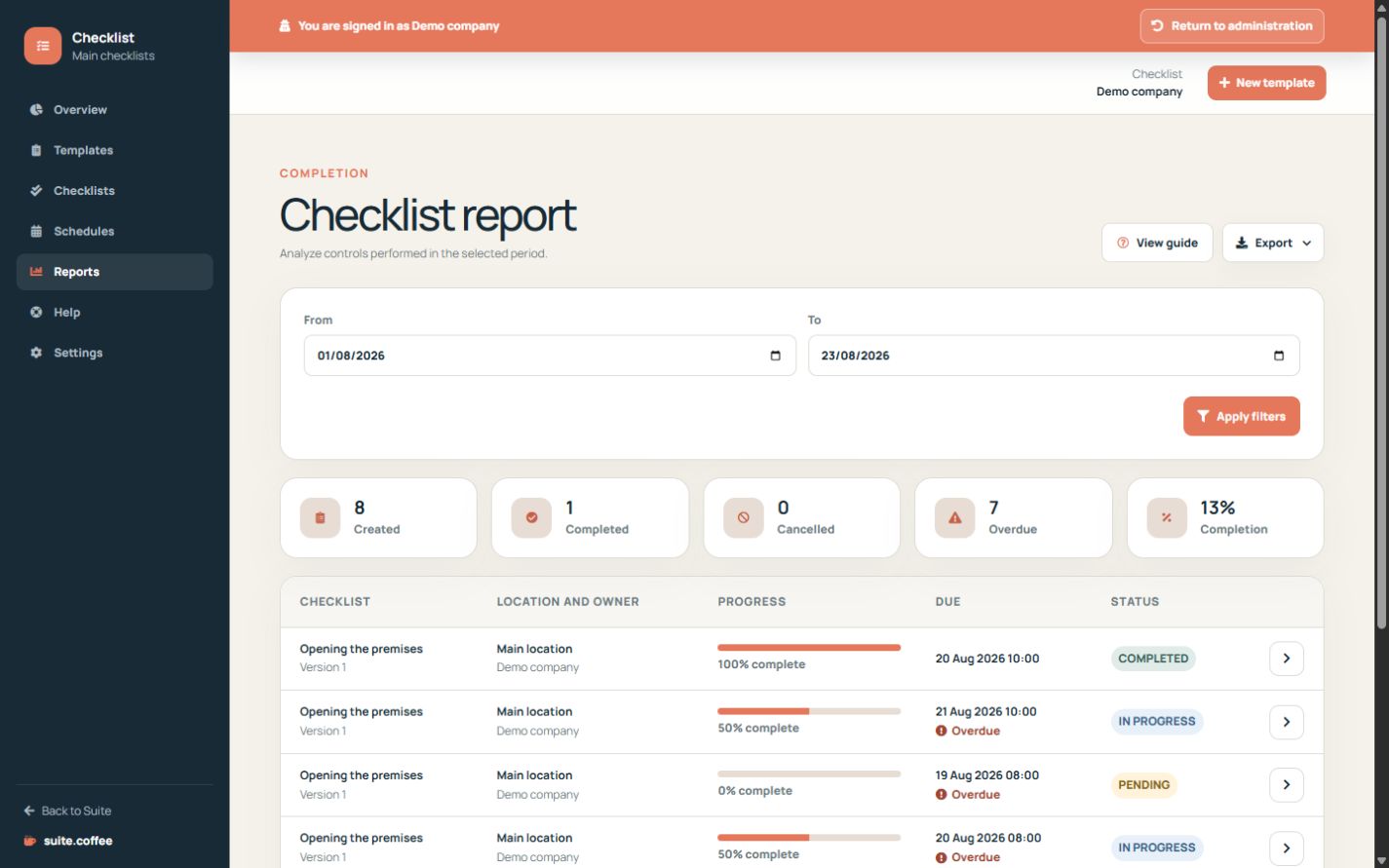
The report selects checklists by creation date in the configured timezone. Completed, cancelled, overdue and completion percentage are then calculated from that selected set.
Read progress correctly
Progress is the share of cards in the final state. Due date determines current overdue status; it is different from creation and completion timestamps.
Export the selected scope
Choose the period before downloading. Exports include template, location, owner, progress, due date, status and completion date. They are point-in-time copies and do not replace card transition history.
Step by step
- Open Reports.
- Set the creation period.
- Compare created, completed, cancelled and overdue counts.
- Review completion percentage and source rows.
- Export only after confirming the selected scope.
Final check
- The period refers to creation date.
- Overdue uses current due date and status.
- The export is treated as a point-in-time copy.
Tip: Open the source checklist when an aggregate needs operational explanation.